Blog

Insights, updates, and deep dives into AI-powered project scheduling, construction planning, and optimization techniques.

AI QSRAWhat your QSRA isn’t telling youP90Most runs finish hereWhere the margin goesrisks that land togetherPlanlab
Glen Huang

What Your QSRA Isn’t Telling You

A P80 date and a tornado chart miss where contractors lose money: the fat tail of a schedule risk analysis and the risk combinations that fill it. How to read QSRA results for tails, bimodal outcomes and buffers.

AIQSRASchedule Risk AnalysisProject Controls
The same project, two decision datesWeek 1Week 2Week 3Week 4Earlier approvalWork proceedsFinishLater approvalWaitingSame workLater finishCosts while waitingExtra overheadShown where the wait extends completion. Count each cost once.Illustrative scenario · The Cost of Slow News
Thomas LimLinkedIn

What a week of waiting costs: estimating construction decision delay

Estimate the cost of a delayed construction decision using your own records. Account for site mitigation, idle resources and any later completion.

Project ControlsDecision MakingCost Management
AI QSRAYour risk analyst has joined the projectSchedule + risks+ cost estimates(optional)PlanlabAI agentP80 forecast+ risk reportCreate risks. Run QSRA. Explain the result.Planlab
Glen Huang

AI QSRA: Your Risk Analyst Has Joined the Project

Planlab’s AI agent creates and updates risks from project documents, runs schedule risk analysis and drafts a report around the decision you need to make.

AIQSRASchedule Risk AnalysisProject Controls
About 7 weeks to a decisionSite problemEarly JanMonthly updateReport and reviewDecisionLater FebIllustrative example: work continues during the wait.
Felix HodsonLinkedIn

How old is the news you act on?

Measure construction reporting and decision delay using site diaries, reports and minutes. Find where your project waits before making a decision.

Project ControlsReportingDecision Making
Two ways to get a time-location chartActivityLocationAppearanceFill them in per activity, or build and maintain the mapping yourself“Make aTL chart”One sentence, and the chart stays on the live scheduleplanlab.ai
Andy ShuLinkedIn

AI Time-Location Charts from P6: Draw Me a Viaduct

See how an AI agent turns a P6 or OPC programme into a live time-location chart by finding and deriving its location data, without activity-by-activity setup.

Time-Location ChartLinear SchedulingAIAgentsPrimavera P6
Most project reports are written backwardsTHE USUAL PACKstart from the inputsMONTHLY PACKDecision?left to inferDECISION-FIRSTstart from the readerThe decisiononly the evidence it needsDECISION-READYaction requestedStart where the reader needs to end.
Thomas LimLinkedIn

Most Project Reports Are Written Backwards

How project-controls teams write a project report that drives the next decision instead of recording the month: start from the decision the reader must make, show the basis for every material claim, and use AI agents for the assembly work while your team keeps the judgment.

ReportingProject ControlsAIAgents
One rule. Four controlled documents.NEAR-CRITICAL FLOAT THRESHOLD10daysContractor review15daysChange report20working daysTIA templatenoneset per projectRecovery methodWhich one governs the job in front of you?An agent that cannot see the other three will answer anyway.
Max SnijdersLinkedIn

Your Project Needs a Knowledge Base

Ask a good colleague a question and you get the answer plus everything that makes it checkable. Ask an agent the same question and you get the answer on its own. That gap is not a retrieval problem, and more documents will not close it.

Knowledge BaseAIAgentsProject ControlsData
Auto-updating a schedule, three waysWhat happens to activities you did not status by handP6: Update ProgressReads frozen Planned DatesOverwrites real actualsResult depends on update cadenceCorrupts the recordOPC: nothingFeature removed entirelySpotlight highlights, onlyEvery activity statused by handSafe, but manualPlanlab: auto-updateNever touches your actualsOne area or the whole schedulePreview first, undo in one stepFast, safe, controllableThe plan you compare against should be a baseline you chose, not a cache you forgot about.
Felix HodsonLinkedIn

Auto Progress Updates, Done Right

P6's Update Progress copies a frozen shadow of the plan over your real actuals. That is why experienced planners are told never to touch it. Oracle's own fix, in Primavera Cloud, was to remove the button entirely. There is a correct way to auto-status a schedule, and it takes three rules.
SchedulingP6Primavera CloudProgress UpdatesAgents
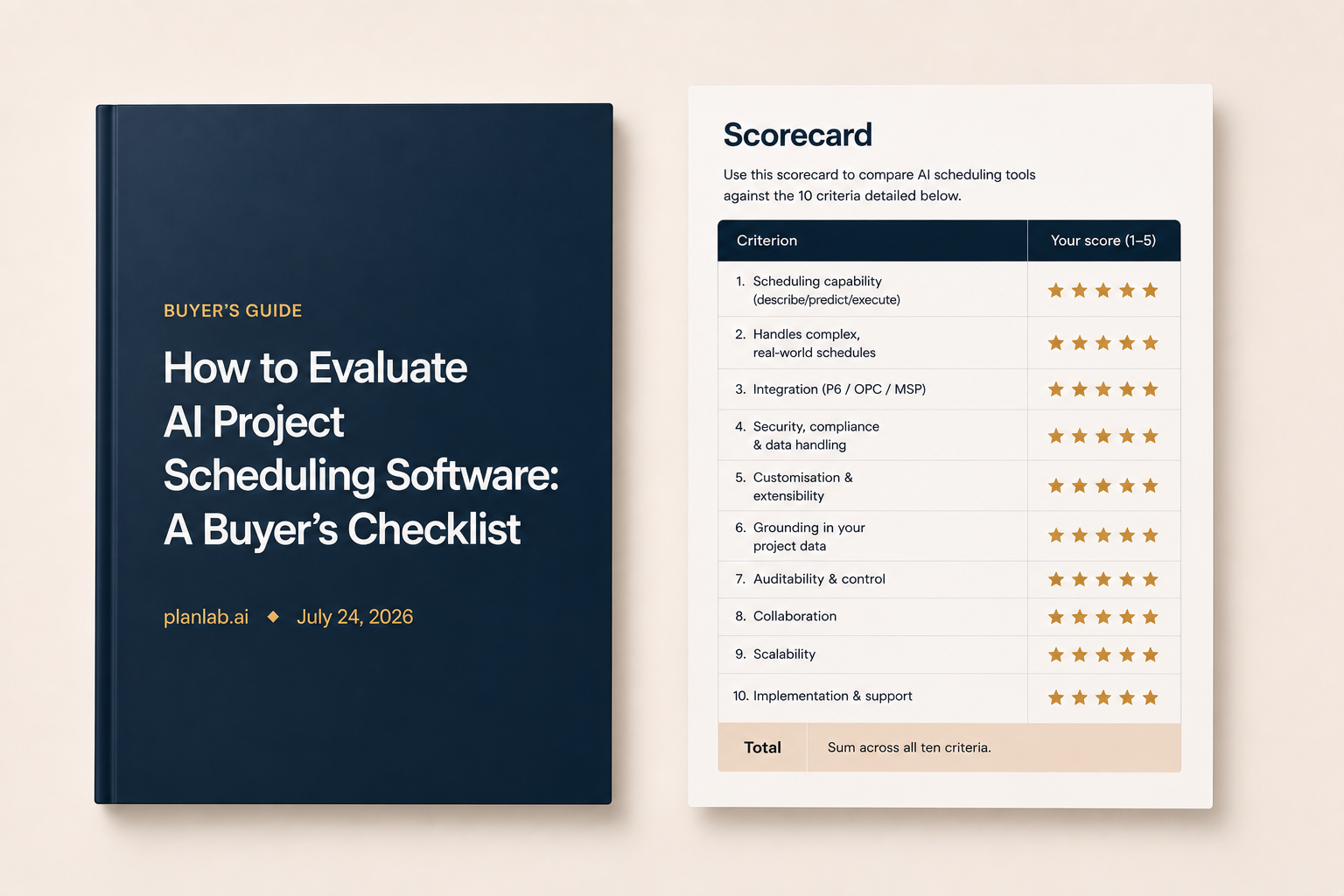
How to Evaluate AI Project Scheduling Software: A Buyer’s Checklist
Tuukka TervoLinkedIn

How to Evaluate AI Project Scheduling Software: A Buyer’s Checklist

This guide gives you a 10-point checklist to evaluate which AI scheduling software is right for you. The aim is to help separate a comprehensive platform with project controls capabilities from a reporting add-on with clever marketing.

AISchedulingProject ControlsPlanningProcurement
A schedule can pass every check and still be wrongProgrammatic checks read the structure of a network, not the sense of itChecked, and passingOpen ends and dangling logicLeads, lags and relationship typesHard constraintsNegative and high total floatLong-duration activitiesBaseline execution indexWhat actually delays the jobScope missing from the scheduleLogic that is drawn, not causalProductivity nobody benchmarkedDurations fitted to contract datesSequence that ignores the methodProcurement and approvals unmodelledThe right-hand column needs judgement. That was always the bottleneck.
Felix HodsonLinkedIn

Assurance Was Always a Capacity Problem

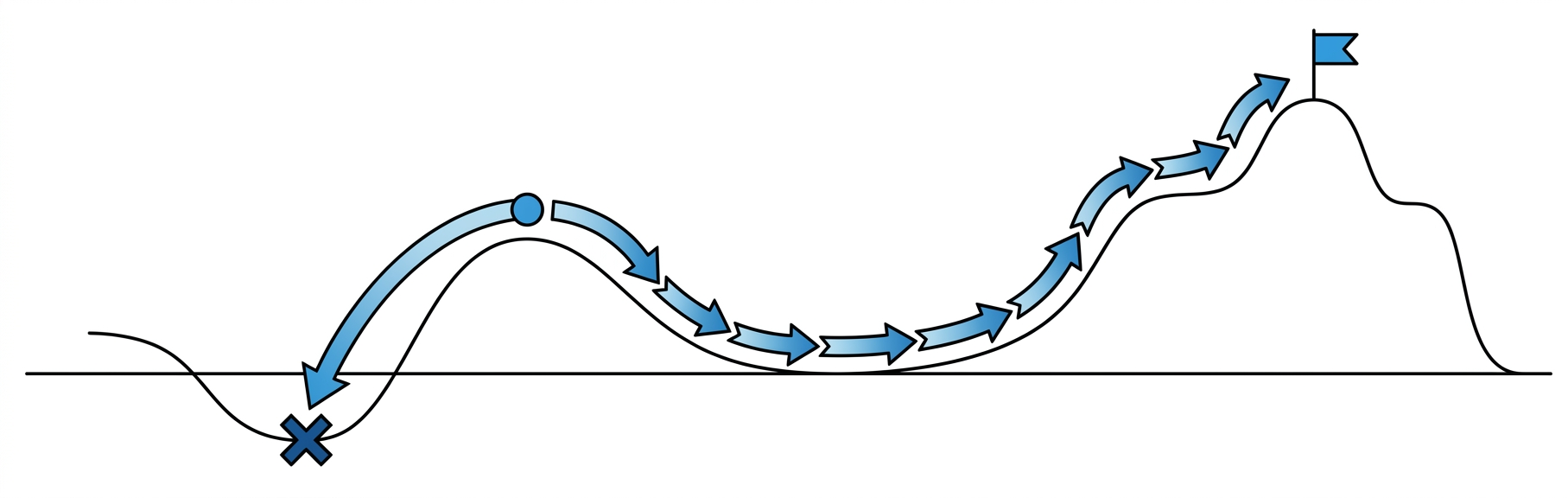
Projects rarely fail for surprising reasons. They fail for basic ones that should have been spotted months earlier. The reason they are not spotted is that nobody has the hours, and that is the constraint that has just been lifted.
AssuranceAIProject ControlsSchedulingAgents
Resource leveling, searching the space of orderings
Daniel ChernowitzLinkedIn

Resource leveling, searching the space of orderings

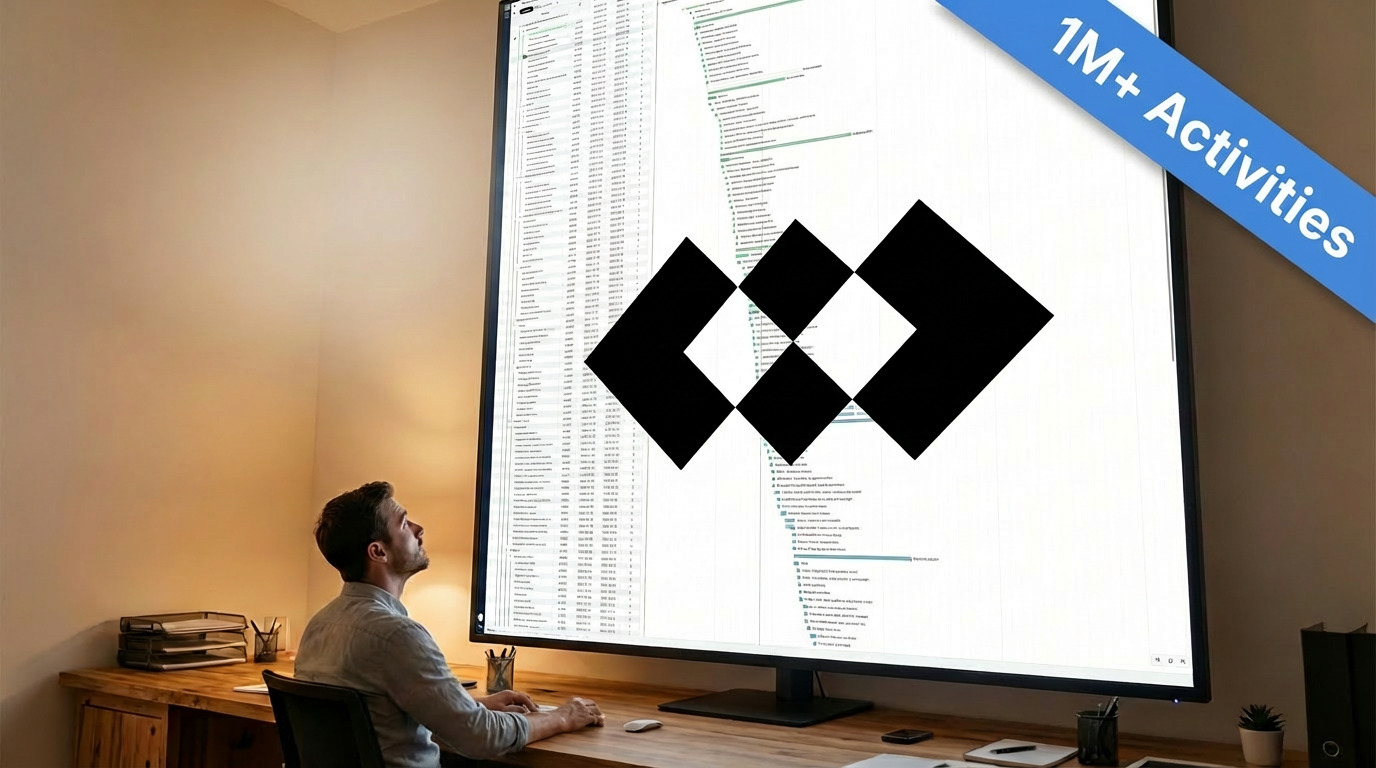
Most of the battle in optimization is won by searching a sensible space. We show how representing resource-constrained schedules as topological orderings makes the search for good solutions far more tractable.
AIConstructionOptimizationResource Leveling
How I Learned to Stop Worrying and Open that XER with 1 Million Rows
Andy ShuLinkedIn

How I Learned to Stop Worrying and Open that XER with 1 Million Rows

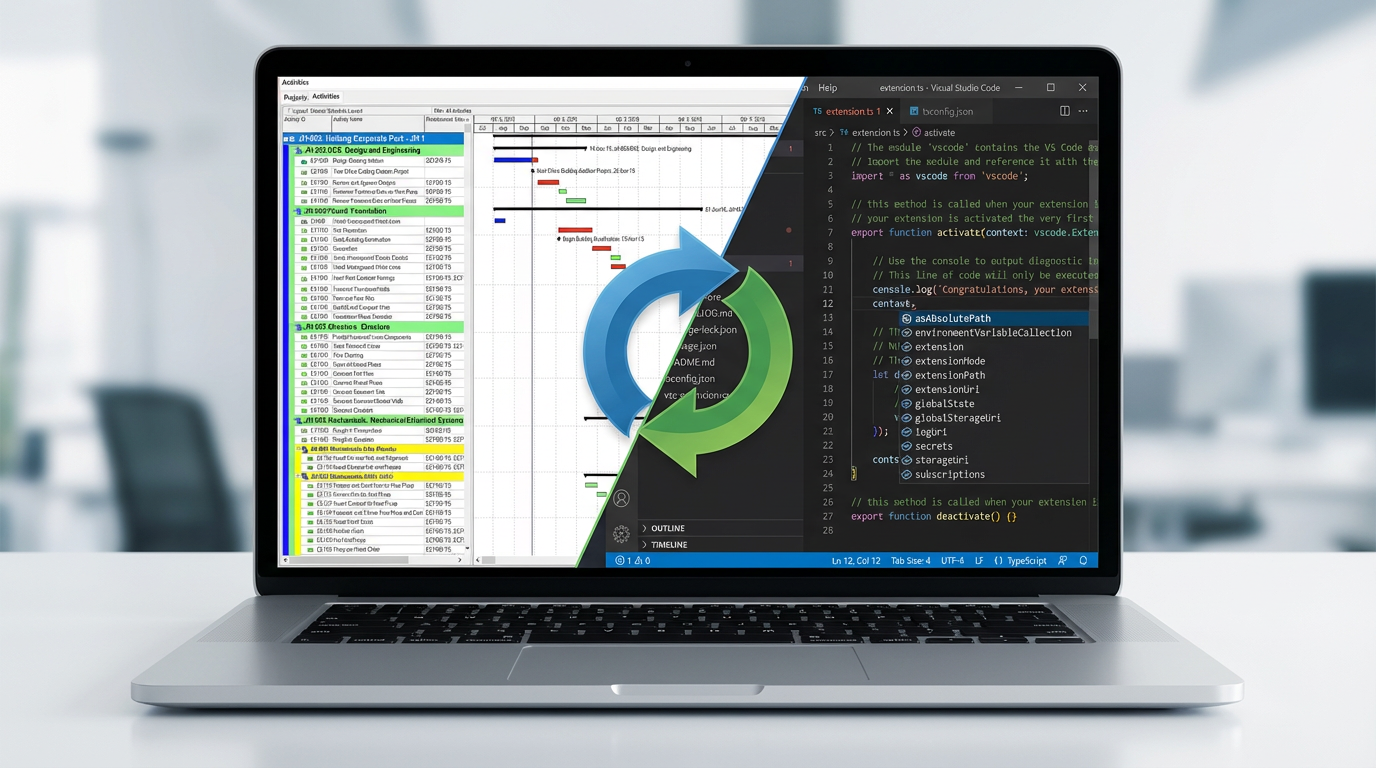
Planlab upgrades the schedule editor to handle XERs with 1,000,000 rows. Here are the design decisions that made it possible.
PerformanceReact.jsWeb
If Planners Were Programmers
Max SnijdersLinkedIn

If Planners Were Programmers

After two years building Planlab, we've discovered a surprising truth: planning and programming are nearly identical disciplines. Here's what happens when you give planners access to a programmer.

AIPlanningProgrammingAutomationConstruction
The Evolution of Competitive AdvantageIN CONSTRUCTIONPre-1850Craft[Kostof, 1977], [Addis, 2007]1850–1914Capital[Landes, 1969]1914–1970sManagement[Morris, 1994], [Kelley, 1959]1980s–90sContracts[Winch, 2002], [Hughes, 2001]1990s–2000sCollaboration[Latham, 1994], [Egan, 1998]2010s–NowDigital[Eastman, 2011], [McKinsey, 2017]FutureIntelligence[Whyte, 2016], [OECD, 2021]Data: foundation foradaptive intelligenceFirms that align around the current bottleneck consistently outperform.
Max SnijdersLinkedIn

Data is Your Future Competitive Advantage

Competitive advantage in construction has evolved from capital to expertise. The next shift? Data. Here's why you need to guard it carefully, and how we help you do that.
ConstructionAIDataSecurityCloud
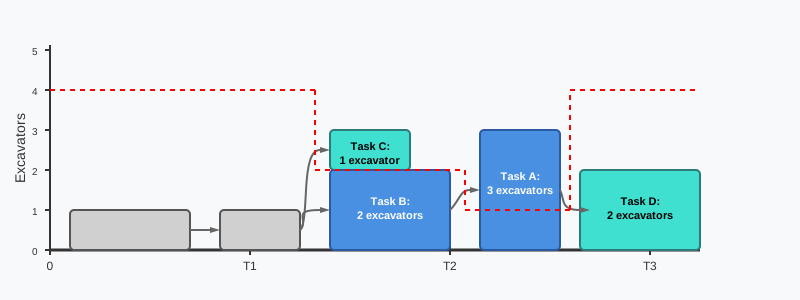
Resource leveling, a graph theory approach
Daniel ChernowitzLinkedIn

Resource leveling, a graph theory approach

An introduction to resource leveling in project scheduling using graph theory. Learn how the AIRL algorithm helps find optimal task orderings that satisfy resource constraints while minimizing project duration.

AIConstructionOptimizationResource Leveling
Challenge 3: Health and Safety
Felix HodsonLinkedIn

Challenge 3: Health and Safety

A scheduling challenge focused on health and safety constraints in motorway overpass renovation. Navigate complex H&S rules, resource-loaded LOEs, and optional hydrodem constraints to find the optimal schedule.

ChallengeSchedulingHealth & SafetyOptimization
CalendarsWithout fixWith fixAprMayJunJulAugSepOctNovDecWorking TimeC1C2C3Shadow CalendarC4C5ShadowC6C7Allows starting too shortly before the holidayA3aA3bOk if started long before the holidayA1A2Ok if started after the holidayMilestone allowed long before holidayA4A5M4M5Milestone allowed after holiday
Felix HodsonLinkedIn

Modelling un-interruptible activities

A practical guide to modelling activities that cannot be interrupted during shutdown periods, such as summer holidays. Learn how to use shadow calendars and milestones to enforce these constraints in P6 and other scheduling software.

PlanningSchedulingP6Constraints
Challenge 2: Adding Real-World Complexity
Felix HodsonLinkedIn

Challenge 2: Adding Real-World Complexity

A scheduling challenge that builds on our first competition, introducing overhead costs, benefits, resource mobilisation, and idle time. Plus our solution achieving £36M net value using AIRL optimization.

ChallengeSchedulingOptimizationResources
Challenge 1: Value-Based Scheduling
Felix HodsonLinkedIn

Challenge 1: Value-Based Scheduling

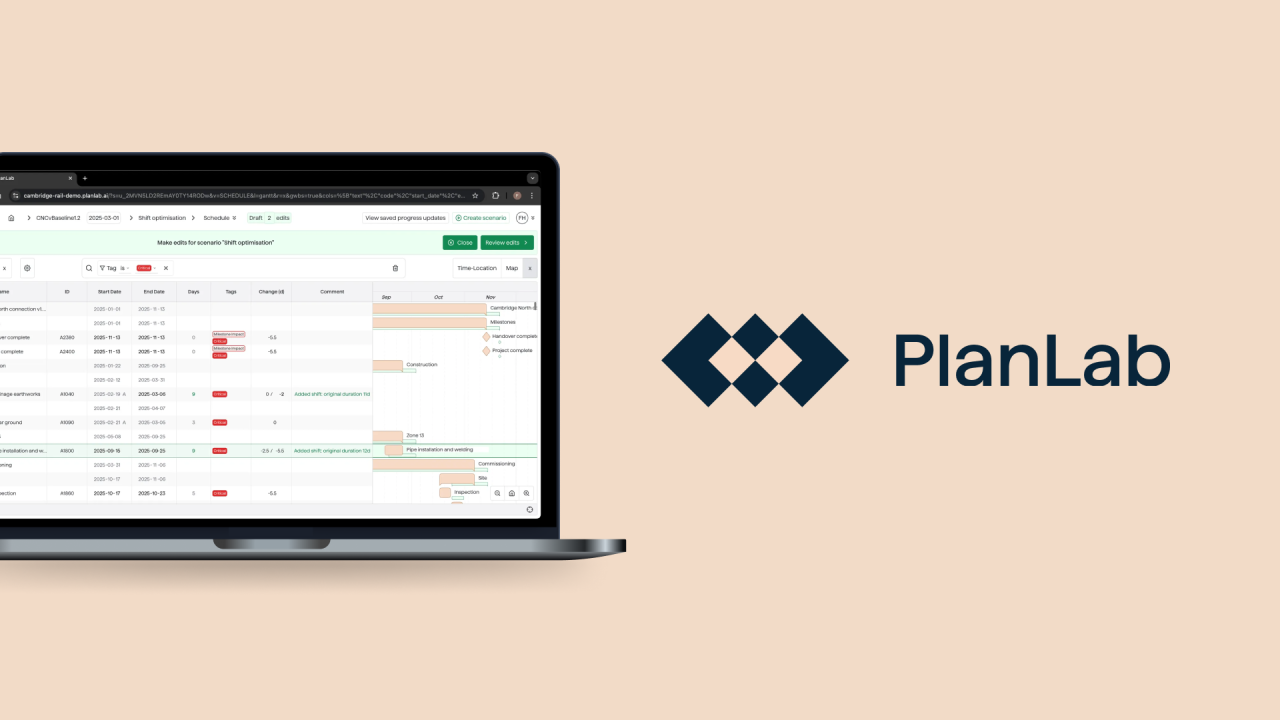
Our first scheduling competition: optimise a mining facility schedule by balancing duration, resource mobilisation, and activity acceleration. Plus our £107.5M solution using automated search.
ChallengeSchedulingOptimizationResources
Accelerate Your Schedule with Additional Shifts
Felix HodsonLinkedIn

Accelerate Your Schedule with Additional Shifts

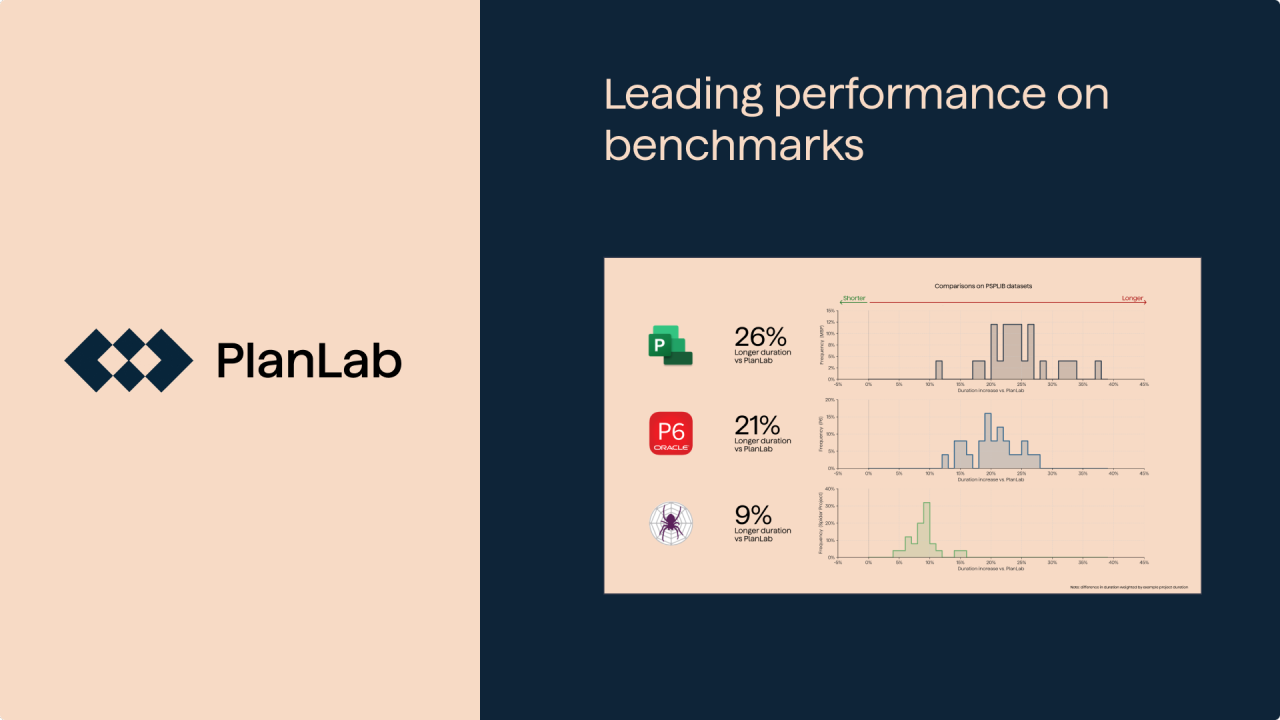
Need to catch up a delay? Adding shifts to critical activities can be effective, but which activities do you target? We explore the forward-pass and backward-pass approach, and how to automate it.
PlanningSchedulingAccelerationCritical PathOptimization
Planlab Beats Competitors on Resource Scheduling Benchmarks
Felix HodsonLinkedIn

Planlab Beats Competitors on Resource Scheduling Benchmarks

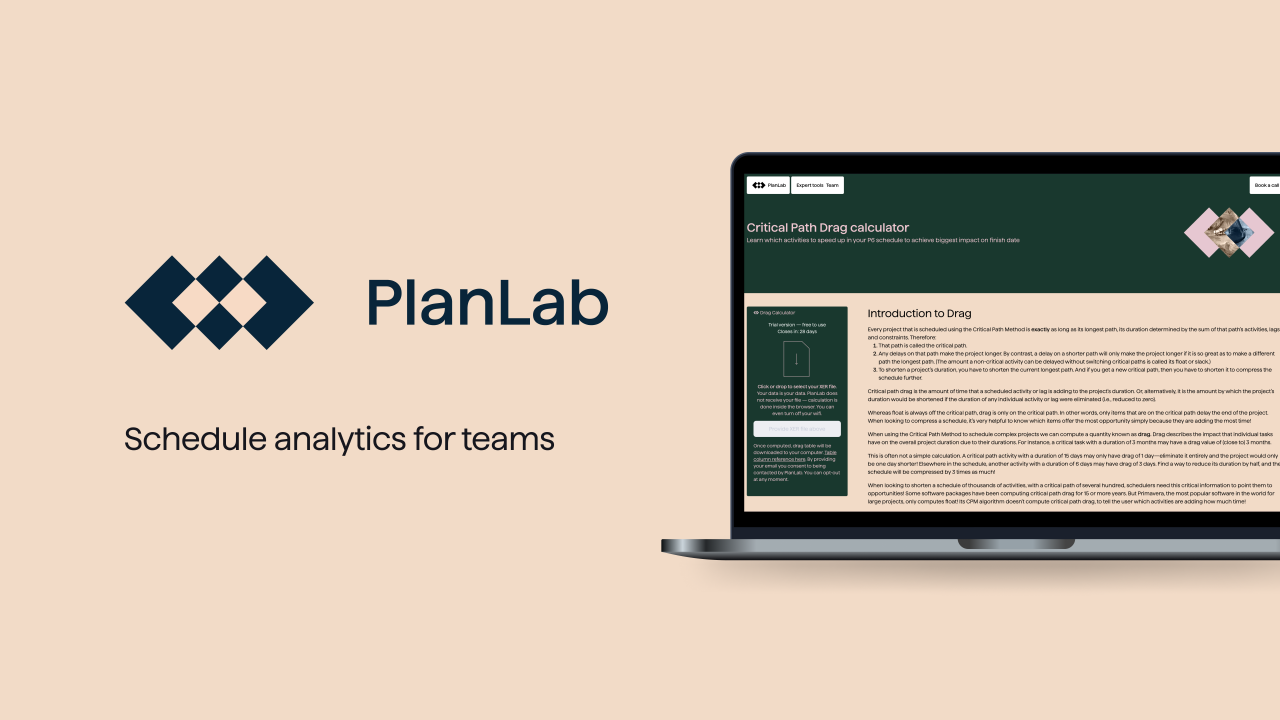
We benchmarked our optimizer against Oracle P6, Microsoft Project, and Spider Project using independent test data. The results speak for themselves.
BenchmarksOptimizationResource SchedulingOracle P6Microsoft Project
Understanding Critical Paths with Multiple Calendars
Felix HodsonLinkedIn

Understanding Critical Paths with Multiple Calendars

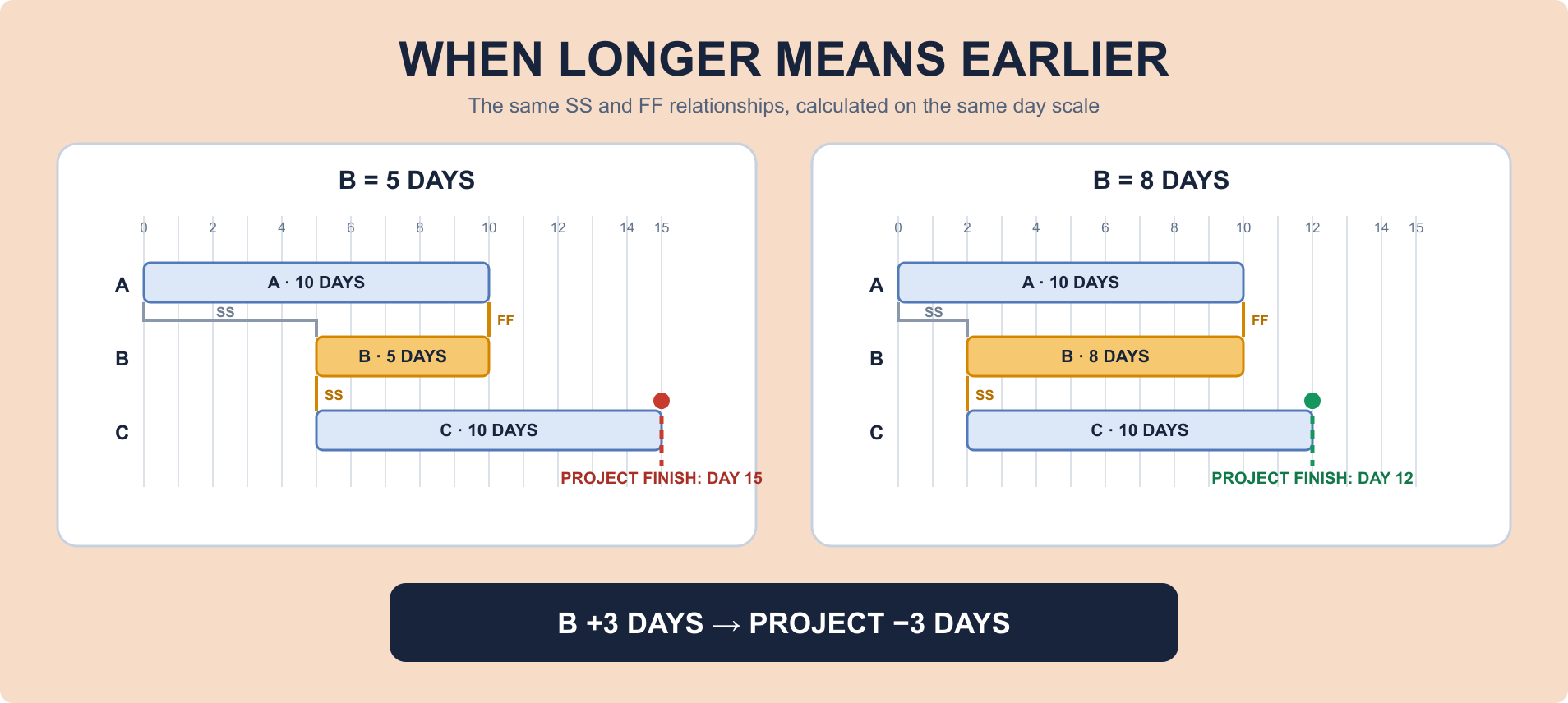
When tasks along the critical path use different calendars, changes in task duration can have unexpected effects on project duration. Learn how to analyze these scenarios.
Critical PathCalendarsCPMSchedulingProject Management
Reverse Critical Paths: Definition, Examples, and Solutions
Max SnijdersLinkedIn

Reverse Critical Paths: Definition, Examples, and Solutions

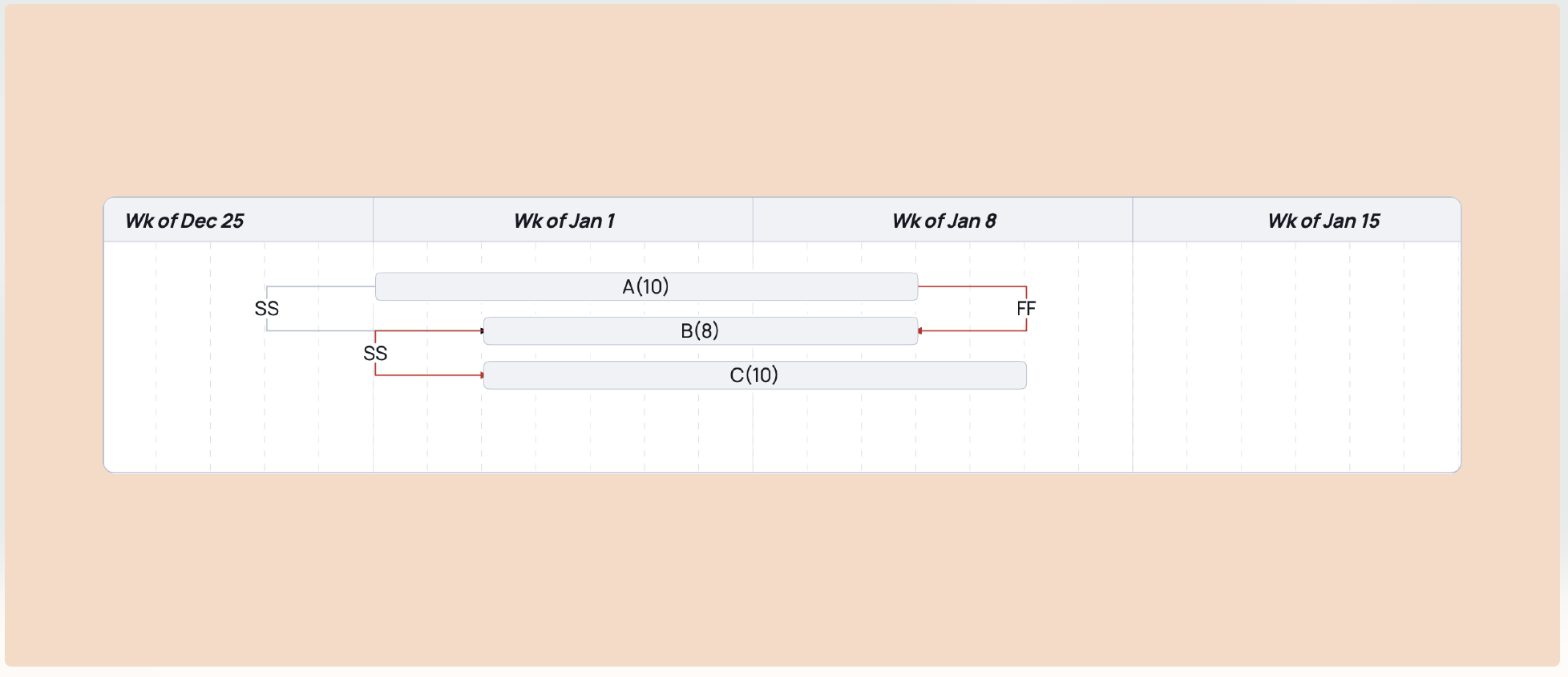
Reverse critical paths occur when making an activity longer actually shortens your project. Learn why this happens and how to fix it.
PlanningSchedulingCritical PathCPMOptimization
Critical Path Drag: Definition, Calculation, and Examples
Max SnijdersLinkedIn

Critical Path Drag: Definition, Calculation, and Examples

Critical path drag tells you how much time each activity adds to your project duration. Learn how to calculate drag and use it to compress your schedule.


PlanningSchedulingCritical PathCPMOptimization
This website stores cookies on your computer. These cookies are used to collect information about how you interact with our website and allow us to remember you. We use this information in order to improve and customize your browsing experience and for analytics and metrics about our visitors both on this website and other media.
cybersecurity plusISO/IEC 27001