

Need to catch up a delay? Find a way to save a few weeks or months? Penalties for delay mounting up?
Finding a way to accelerate a schedule can be tough, especially if a project is large or complex. There can be multiple near-critical paths, and working through all the options can take a very long time.
Adding Shifts as an Acceleration Lever
A common lever for acceleration is adding shifts to critical activities, or similar interventions like extending the work week. While it can be expensive, for some types of activities it's often very effective. Second shifts cost more, and typically are less productive, but you will get more work done. The trouble is deciding which activities to target.
Stephen Devaux's Critical Path Drag tells us how much time we can save by shortening an activity, but it's never as simple as just one activity. You might need to shorten tens, or even hundreds, depending on the structure of your project. Finding any way to do this, let alone the cheapest, is hard.
The Manual Approach: Forward and Backward Pass
Doing this by hand, usually we go through a similar process as CPM through a forward pass and a backward pass:
Forward Pass
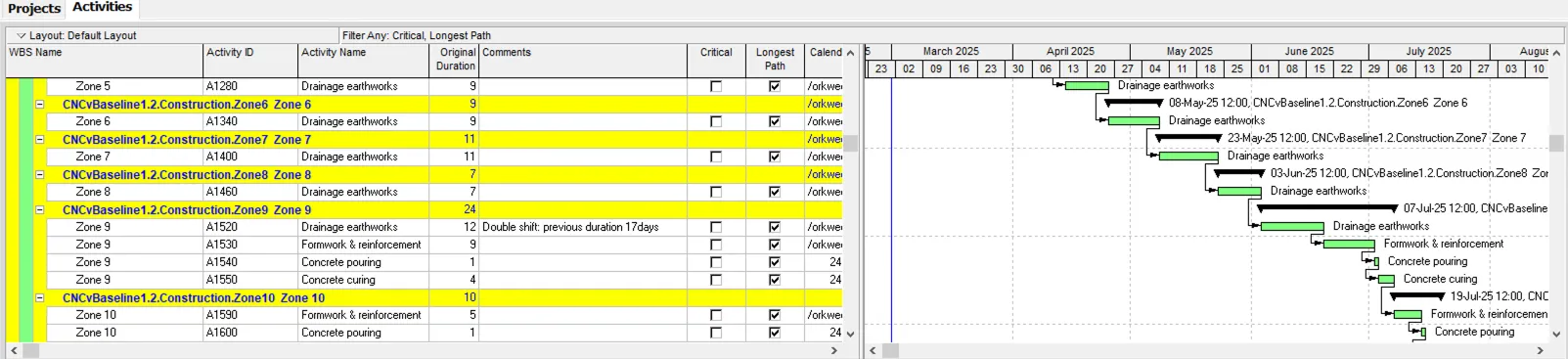
- Go through the activities on the critical path, see which one is best to double-shift, and do it. Recompute CPM (and re-apply filters), see the new critical path, and repeat until we get to the target end-date.
Backward Pass
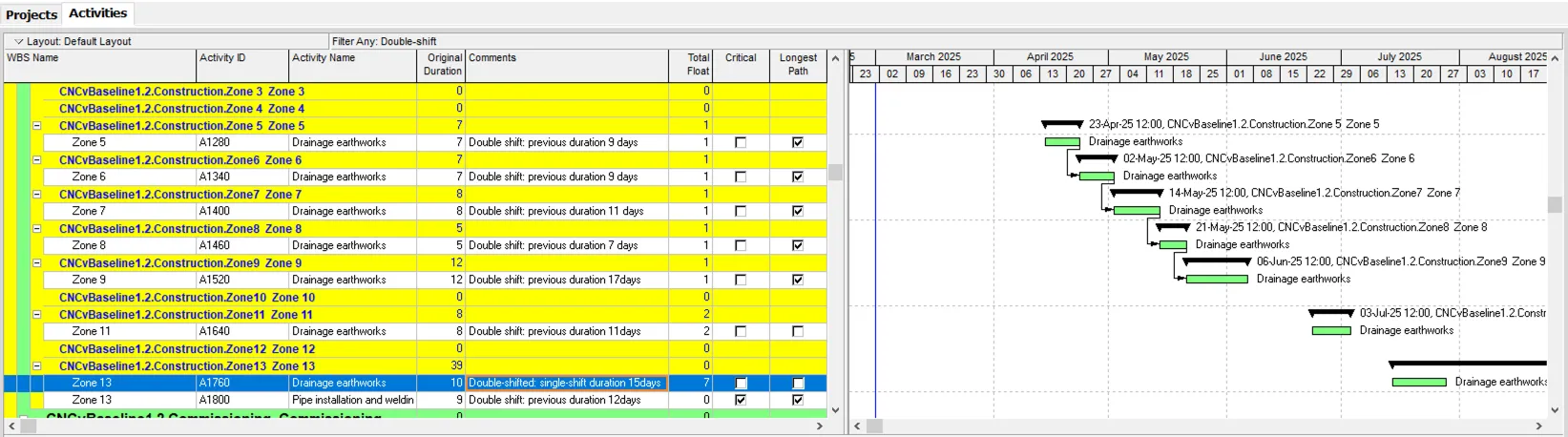
- Parallel paths, calendar interactions, lots of things can mean some changes might not be needed. We go back and check if there's float that would let us make some savings. In this example we can see that A1760 now has 7 days of float on it, more than the reduction we achieved from adding a shift.
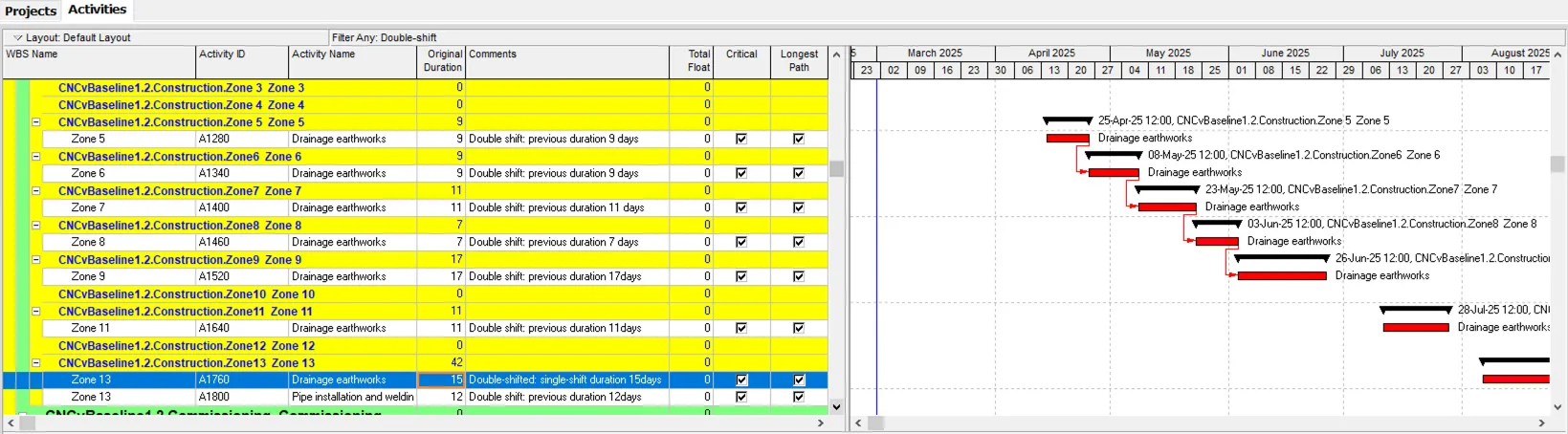
- If we revert back to original durations for all activities, we see A1760 is critical with zero float. It was the second activity we selected for an additional shift. We can now save the extra shift for this activity!
The Challenge with Complex Projects
This is a very small example. For complex projects this process can take a long time, and every time we get progress updates, or change-requests, it can shift the critical path around and we need to start over.
Automating the Process
If you don't have the time to do this manually, we can automate this! We've just released an algorithm and it's super fast to run. It can also find the cheapest way to achieve a target end-date, or if you have a cost-per-day of delay it can find the highest-value schedule.
If you're interested, reach out to us. We can run it for you offline, or onboard you onto our platform if you want to run it yourself.